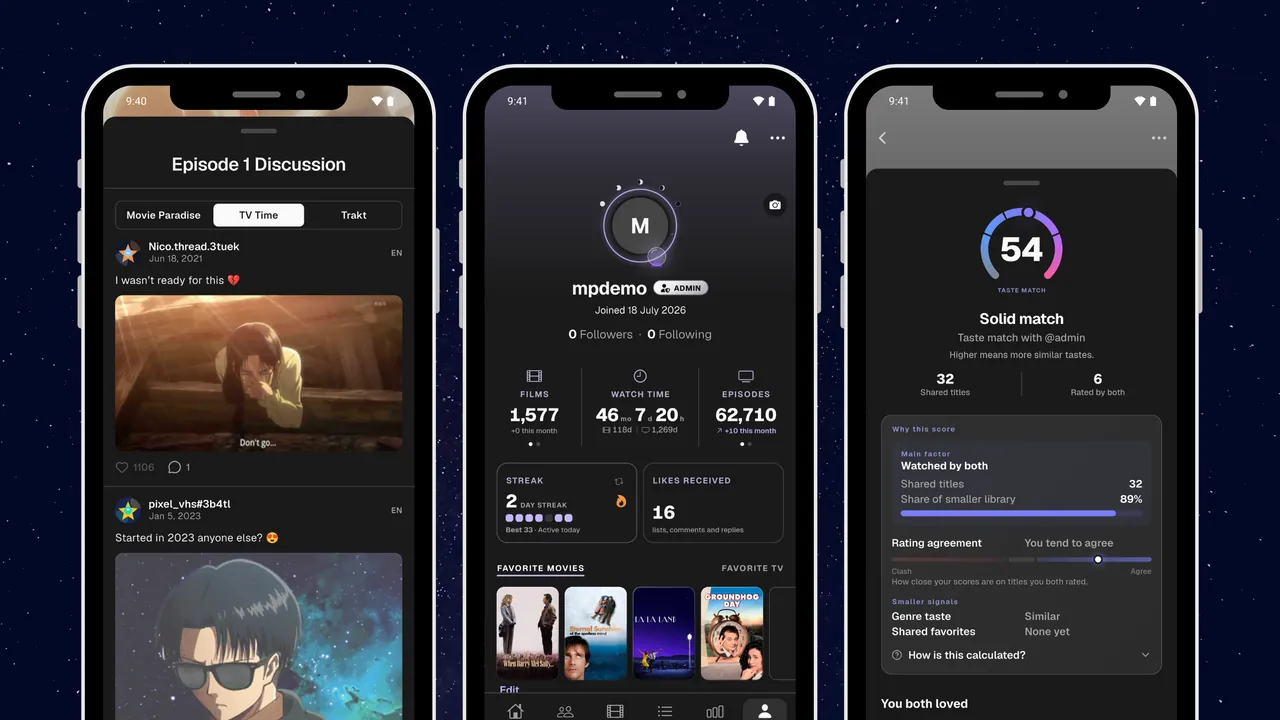
Every update to the app and the website, newest first.
Last update October 18, 2026
Web
🌍24 Languages, Stremio Sync & a New Live Watch Player
The website now speaks 24 languages, including Arabic with a right to left layout. Stremio gets a sync page of its own, and live watching gets the player bar from the app.
What's new7
Your Language: The whole site follows the language you pick, in 24 languages, and Arabic reads right to left on the main screens.
Stremio Sync: A page of its own shows what Stremio sends to your library. Sign in with a code and bring your whole watch history over.
Live Watch Player: The bar you run a live watch from now looks and works like the one in the app.
Choose What Syncs: Pick what Simkl, MDBList and Trakt send to Movie Paradise and back.
Home Layout: Choose Banner or Compact for the top of Home, in Settings.
Add to List, Right There: Add a title to any of your lists from its own page.
From Your Feedback: The calendar uses your custom backdrops, the Tracker remembers a sort for each tab, and the bell clears as soon as you open it.
App 6.2.0
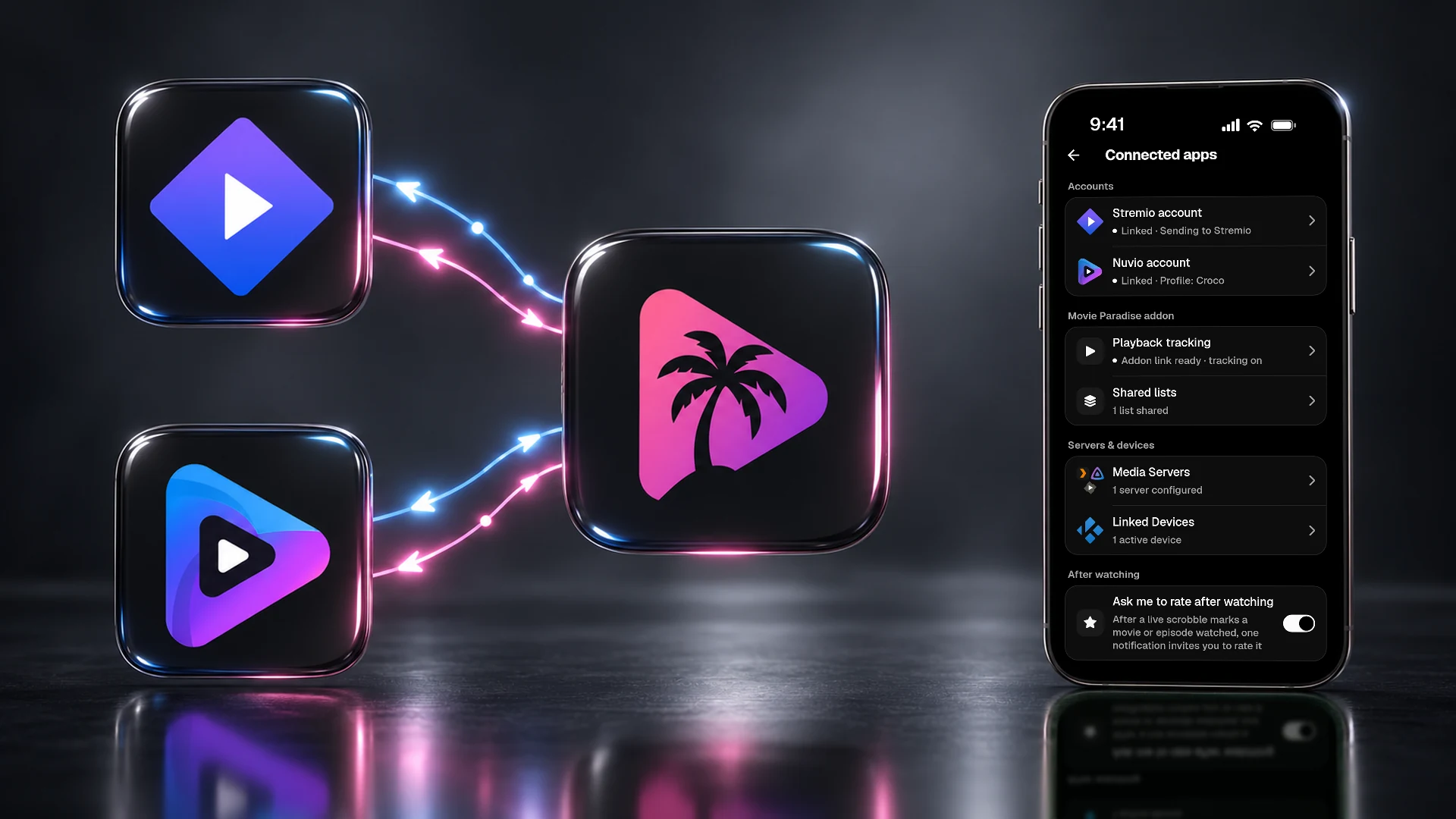
🔄Two-Way Stremio & Nuvio Sync, Everything in Your Calendar, Scheduled Live Watches & Imports You Can Undo
Linked Stremio and Nuvio accounts now sync both ways. Link one with a code, bring over your watched history, the titles you save and Continue Watching, and send what you mark watched in Movie Paradise back to them, while the Stremio addon on computers and the web marks a title when you finish it. The calendar now shows what is coming out beyond your library, a live watch can be scheduled up to 6 months ahead and starts on its own, and imports are rebuilt, with a reason for every row that could not be added and 30 days to undo an import. Around them: a cleaner episode page, the Movie Paradise score, choosing what syncs with Trakt, Simkl and MDBList, a reorganized Settings, Halloween app icons, smaller widgets, a smaller download and many fixes.
What's new20
Stremio and Nuvio, Easier: Link a Stremio or Nuvio account by signing in with a code instead of typing your password into Movie Paradise, pick the Nuvio profile you want, then import the movies and episodes marked as watched there in one go. Using the Movie Paradise addon? Turn on Stremio sync, and Stremio 5 on computers and the web marks a title when you finish it instead of when you press play, or, beside a linked Stremio account, keeps your Now Watching card up to date. Account linking and Stremio sync require Premium.
Send to Stremio and Nuvio: On a linked Stremio or Nuvio account, turn on Watched marks under Send to Stremio or Send to Nuvio, and what you mark watched in Movie Paradise is marked watched there too. Where it is offered, To Watch adds the titles on your list to that app's library. Turning one on also sends what you already have, once, and nothing is ever removed there. Requires Premium.
Your Stremio and Nuvio Library: On a linked Stremio or Nuvio account, turn on Add saved titles to To Watch under From Stremio or From Nuvio, and the titles you save there land in To Watch, now and whenever you save more. Bring over Continue Watching puts your half-watched titles in Resume Watching at the same spot.
Everything in Your Calendar: The calendar has a new switch at the top: Library shows the titles you track, and Everything shows what is coming out beyond your library, from season premieres to digital releases in your country. Filter either one by country, language, genre or network, and add a title to your library right from Everything.
Schedule a Live Watch: Off to the cinema or waiting for an episode to air? Pick a day and a time from a movie's or an episode's Live watch, add a few minutes for the trailers or use the episode's air time, and the live watch starts on its own. Plan up to 6 months ahead, and change or cancel it until it starts.
Live Watch, Redesigned: Live watch has a new look on movie and episode pages, and its card shows the time left and when it ends. When you log where you stopped, tap the clock to set the exact time, down to the second, or tap Reset to clear the live watch. A title playing in another app now shows that app's logo.
Imports, Rebuilt: Choose what happens to titles you already have: keep them as they are, update them from the file (your own ratings stay), or let the file's ratings and watch dates replace yours. Each row that could not be added now says why, a custom import takes CSV, TSV, TXT or JSON files with a template to start from, and for 30 days you can undo an import: it removes what the import added and keeps what you changed yourself.
A Cleaner Episode Page: The episode's name is bigger and its story sits right under it. Blur Unwatched Descriptions, a new switch in Settings, hides the story of an episode you have not watched until you tap it (specials excepted). Watched, Rating, Favorite and More now line up like on show pages, and More opens a sheet with Open In, Episode Settings and, for an episode you have not watched, Skip episode.
Episode Pages, Your Way: In Settings, Rating Sources and About Sections have a new Episodes tab: choose which ratings episode pages show, and hide the sections you do not need there. Reordering rating sources is now free for everyone.
The Movie Paradise Score: You can now show the Movie Paradise score, the average rating from Movie Paradise members. Episode pages show it next to the other ratings, and on movie and show pages you find it under See All.
Choose What Syncs: The Trakt, Simkl and MDBList screens in Settings > Sync have a new What to sync section. For each kind of data, like your watch history and ratings, choose whether it syncs both ways, one way only or not at all. Requires Premium.
Your Lists on MDBList: With MDBList connected, turn on Sync to MDBList in a list's settings so titles you add or remove on either side follow on the other, or import your own MDBList lists (dynamic ones excepted) from Your MDBList lists on the MDBList screen in Settings > Sync. Requires Premium.
Settings, Reorganized: On phones, Settings now has five groups with a short summary under every section, and a new Spoilers section keeps the spoiler options together. Connected apps is a cleaner list, the Stremio and Nuvio pages group what comes in and what goes out, and imports, Reset Library and Delete Account open on their own pages.
Your Theme and Filters Follow You: Your Halloween theme and its options now follow your account to your other phones and tablets. So do your Tracker, Calendar and Stats filters, and the filters you saved in the Tracker, Advanced Discovery and Lists. Widgets and a few device settings stay on each device.
The Tracker Keeps Up: Tap the eye in the Tracker and the next episode now shows its name, not just its number. Mark the last episode that has aired and the row shows when the next one airs.
Smaller Widgets: The Up Next, Upcoming and Upcoming Movies widgets can now be as small as 2x1 on Android and come in the small size on iPhone. On iPhone, widgets also stay easy to read on tinted and clear home screens.
Rewatches and Watch Dates: Change the date of a show rewatch or of an episode you rewatched, and bring back a rewatch you removed from Watching. Moving a watched movie to another status now asks whether to keep its watch date.
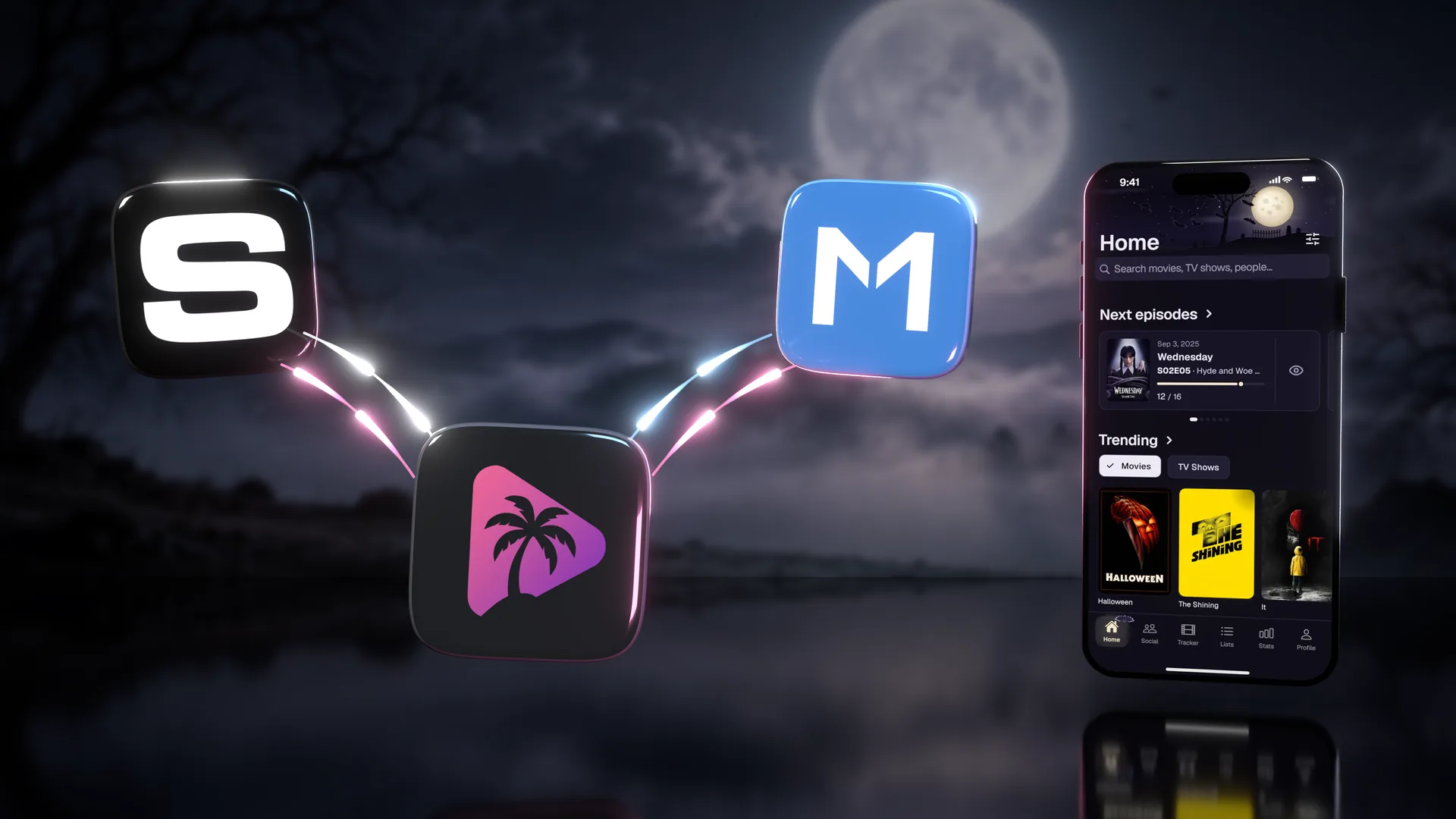
Halloween App Icons: Pick a Halloween icon for your home screen in Settings > Appearance > App Icon, one for each of the four Halloween themes, or keep the app's own. Free for everyone in October, then part of Premium. Your icon stays until you pick another one.
A Smaller Download: Movie Paradise is now a smaller download and takes up less space on your phone.
Fixes From Your Reports: Tons of bug fixes all across the app.
App 6.1.0
🎃A Renewed Web, Simkl & MDBList Sync, Halloween App Themes & 14 More Languages
The whole movieparadise.app has been renewed, from Home to Settings, and now works much more like the app on your phone, with live watching, Pick for Me, a redesigned tracker, lists and calendar, and settings that sync with your phone. In the app, your watches, watchlist and ratings now sync both ways with Simkl and MDBList, and with Trakt connected too, watches from Simkl or MDBList reach Trakt as well. October brings four Halloween app themes that dress up the whole app, free for everyone all month. Around them: a calmer calendar, Season & Episode Ratings that read IMDb, TMDB, Trakt or your own scores, Friends, 14 more languages, notifications on up to three devices, notes on every account, layouts made for tablets, and many more improvements and fixes.
What's new17
The New Web: The whole movieparadise.app has been renewed, from Home to Settings, and now works much more like the app on your phone. Sign in to start, pause or stop a live watch, with Now Watching, Resume Watching on Home and who's watching a title when their Live Watching Status allows it, and to use Pick for Me with a tarot-style reveal from your tracker, a list or titles you and someone you follow both want to watch. Home, the tracker, lists, the release calendar, watch history and person pages are redesigned, you can make share cards like My Rating and Episode Ratings graphs, notes are free on every account, settings sync with your phone, there's a Devices page and the Bingers and Suite TV importers, and the Trophy Hall for your badges and Monthly Wrapped are new on the web.
Simkl and MDBList Sync: Connect Simkl and MDBList in Settings, right next to Trakt, and your library syncs both ways: the movies and episodes you watch, your watchlist, dropped shows and your ratings, plus season and episode ratings on MDBList. What you change in Movie Paradise reaches them within minutes. Movie Paradise checks MDBList for your changes on its own, and Simkl whenever you use the app or tap Sync now. With Trakt connected too, watches from Simkl or MDBList reach Trakt as well. Each service has its own page that shows what is waiting to sync, large removals wait for your review instead of being applied, and entries that could not be matched are listed with the reason. Requires Premium.
Halloween App Themes: Pumpkin Patch, Full Moon, Late Night and Blood Moon dress up the whole app with their own colors, an animated scene at the top of the main tabs, and small surprises when you tap the eye in Up Next, pull down to refresh or switch tabs. Each theme can bring its world to your profile too. Free for everyone in October, then part of Premium. Pick one in Settings > Appearance > App Themes.
Season & Episode Ratings, Reworked: Switch the scores between Overall, IMDb, TMDB, Trakt and You, your own ratings, all on one color scale with a legend. Flip the grid, turn the votes on or off, and tap any episode to open it. The share button makes an Episode Ratings card in a Graph or Classic look, with the seasons, background and language you pick. Requires Premium; free accounts see a sample show.
A Calmer Calendar: A cleaner month view with a small poster and dots on each release day. Tap a day to see what comes out, and a day with nothing new points you to the next release. The list is now a timeline, and a new Digital tab shows when movies come out to watch at home.
Friends: People who follow you back are your friends. Their profile shows a Friends badge, their row in your Followers and Following lists says Friends, and you can share your Live Watching Status with friends only. Followers and Following now have a search, and you can remove a follower from the menu on their profile without them being told.
14 More Languages: Movie Paradise now speaks 24 languages, including Arabic with a right-to-left layout. Hundreds of texts that still showed in English are now translated, and your widgets and notifications use the app's language.
Your Devices: Your settings now follow your account to every phone you sign in on, and notifications reach up to three of your devices. Settings > Account > Devices lists every phone and browser you are signed in on, lets you choose which devices get notifications, and lets you sign out of any other device, or every other device at once.
Watching Now, Everywhere: Profiles show what someone is watching and how far along they are, and episode pages show who is watching that episode, whenever their Live Watching Status allows it. The Now Watching card and Resume Watching open the full episode page, and spoiler protection now also hides unwatched episode names on the Now Watching card and the live notification.
Open In: Open a movie, show or episode in Trakt, IMDb or TMDB from its three-dot menu, movies in Letterboxd too, and Stremio, Nuvio or Infuse when they are installed. Add your own links, choose which ones show and pin favorites to the menu in Settings > Appearance > Open In.
Share Cards: Share your rating as a Poster or a Ticket card with your @username and your profile's address, and for an episode pick which of its pictures the card shows. Most share cards now come in the language you choose, with titles and posters in that language when TMDB has them, and the ratings card can hide the ratings you leave out.
Notes for Everyone: Private notes on movies, shows and episodes are now free on every account.
Edit Details, Redesigned: Edit Details opens with the title's artwork, a Favorite button and a rating button. Your lists, notes and tags are in the same place, and you can pause or drop a show there. Press and hold the name of a movie, show or episode to copy it, and tap Refresh metadata in a movie or show's menu to load its latest information.
Upcoming and Widgets: Upcoming now also lists the season premieres of shows you added but haven't started, and Settings > Next Episodes lets you choose off, pilots only, season premieres or all episodes. There's a new Upcoming Movies widget, the Upcoming widget can include movies and count down to new episodes, and the Up Next widget fills its empty rows with shows you haven't watched in a while.
Made for Tablets: Tablets get layouts of their own that use the wider screen, and so do foldable phones when unfolded. Phones stay as they are.
Posters: Press and hold a poster on Home, Explore, Discovery, Tracker or a smart list to see the movie or show's logo above its options. Rewatches now show in the progress bar, and you can hide the dot that marks the next episode in Settings > Posters & Artwork > Media cards.
And Much More: A redesigned setup wizard, a new welcome and sign-in for new accounts, Activity notifications you can swipe away or clear all at once, new episode notifications that open the episode itself and count down to the air time on Android, Pick for Me from lists you've liked, pictures in announcement polls, a new loading spinner and pull to refresh, smoother scrolling, and many fixes for imports, badges and sync.
Web
✨The Renewed Web, Simkl & MDBList Sync & a New Search
The whole site was renewed, from Home to Settings, to work much more like the app on your phone. It now syncs both ways with Simkl and MDBList.
What's new8
A Renewed Web: A new Home, Tracker, lists, calendar, watch history and person pages, with live watching and Pick for Me.
Simkl and MDBList Sync: Connect them in Settings next to Trakt, and your library syncs both ways.
A New Search: One search box for movies, shows, people and lists.
Settings That Follow You: Your settings sync with your phone, and a Devices page lists everywhere you are signed in.
Your Account: Change your email, and set or change your password, right on the web.
Kodi: Link Kodi to your account from the web.
Notes for Everyone: Notes on titles are free on the web.
Share Cards: Rating, episode rating and Wrapped cards now match the app.
App 6.0.0
📺Now Watching, Expandable Seasons, Your Own Navigation Bar & TV Time Comments You Can Answer
Movie Paradise now shows what you are watching. Start a live watch for movies and episodes you track, or let Plex, Jellyfin, Emby, Stremio or Nuvio report your plays, and find your place again in Resume Watching on Home. Around that, seasons open in place with their episodes inside, spoiler protection reaches your episode lists, widgets and release notifications, the movie status picker is one simple row, the navigation bar is yours to design, and the rescued TV Time comments are no longer read only. Plus a setup wizard, whole backdrops, iOS-style menus, two exclusive profile themes, two new importers and hundreds of fixes.
What's new19
Now Watching: Start a watch timer for a movie or episode you track, pause or resume it, and save your position when you stop. While a watch is on, a Now Watching card sits above the bottom bar, and Resume Watching on Home shows where you stopped. Available on Free and Premium accounts.
Who's Watching: Title pages show who else is watching right now, with Everyone, Following and Followers lists. Live Watching Status defaults to Everyone. Profile privacy and blocks still apply. Choose Followers, People I follow or Nobody under Settings > Privacy > Live Watching Status.
Player Connections: Emby joins Plex and Jellyfin, the Movie Paradise addon tracks plays from Stremio and Nuvio, and linked accounts can report playback progress. An optional live notification puts what you are watching on your lock screen, and every connection now lives in one clearly grouped section of Settings. Playback connections and the optional live notification require Premium.
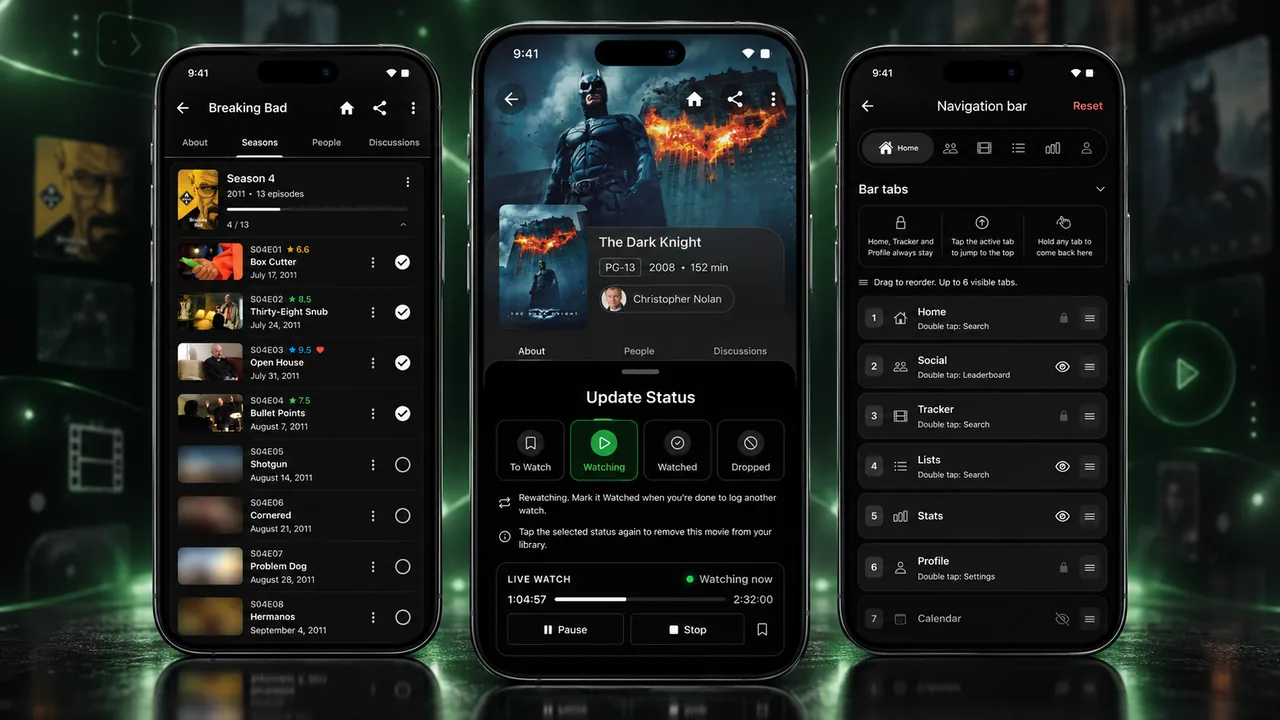
Seasons, Rebuilt: Season cards open in place with their episodes inside, with episode stills, and episode rows show the air date, the countdown and your rating at a glance.
Spoiler Protection: Hide unwatched episode titles and blur unwatched stills on episode pages, next episode cards, the tracker, the calendar, your widgets and release notifications, from Settings > Appearance. Specials always keep their names and pictures.
Simpler Movie Status: One row of statuses (To Watch, Watching, Watched, Dropped), tap your status again to remove a movie after a quick confirm, and changing a status no longer erases a watch. Watch counters now show total watches, so x2 means you watched it twice.
Navigation Bar, Your Way: Hide optional tabs or reorder the bar, add Calendar, Discovery, Search or Explore, pick one of five bar styles and hide the labels. Floating island, Frosted glass and Liquid glass can slide away while you scroll. The Navigation bar screen shows the real bar live as you edit, and a double tap or hold on a tab opens its shortcut.
Setup Wizard: A short guided setup for your import, look, profile, navigation bar, marking style and privacy. New accounts meet it right after signing up, and anyone can run it again from Settings > General.
TV Time Comments Come Alive: The rescued archive is no longer read only. Reply to years old threads or start new ones on the CommsUni tab, shared on commsuni.tv where people from other TV apps join the same conversation, with GIFs, images, likes and spoiler tags. You choose how you appear, a Movie Paradise comment is shared only when you switch it on, and you can block authors you would rather not see.
Better Comments: Select and copy any comment, follow replies along clear thread lines, reply with a highlighted @name, read TV Time comments auto-translated, and browse your profile's Posts and Replies with sort and filters.
Whole Backdrops: Detail pages show the full backdrop with Rounded card or Flat headers, and profile covers offer Fade, Blend and Hard edge styles.
Exclusive Profile Themes: Anniversary celebrates everyone who joined in our first year, and Inner Circle, a black hole around your avatar, is yours when you link Discord. Find both on the Exclusive tab of the profile theme picker.
iOS-Style Menus: Every three-dot menu is rebuilt, text fields use your phone's own edit menu, handles and magnifier, and the back gesture closes an open menu or dialog before the page underneath.
New Importers: Bingers and Suite TV join the lineup, Refract 3.0 exports and Cinopsys 2.x backups import, Letterboxd and TV Time imports match many more titles, and Refract, Bingers and Suite TV let you choose exactly what comes in.
Lists and Posters: A Media cards screen for poster options, your own rating on list posters, and Pick for Me from any list, right from the dice on your tracker and lists.
Widgets: Fixes for loading on Android 11 and older and for mixed-up posters. Android widgets now hold up to 25 entries, and episode release notifications trigger a refresh.
Settings and Account: A regrouped Settings screen, every Reset asks first, pick the first day of the week, set your timezone on any plan, and try the new Caramel dark theme. Google or Apple accounts without a password can add one. Accounts with a password and no linked Google or Apple sign-in can change their email through verification.
Better Show Data: Shows with wrongly numbered seasons, long running anime above all, are moving to a corrected structure with your history kept, generic season names read as Season N, empty placeholder seasons are gone, search puts popular titles first, and movies on the calendar use your own country's release date.
Smoother Everywhere: A 120Hz smoothness sweep, faster profile loading, badge celebrations wherever you are, a fix for "Premium already bought on another account", and hundreds of other fixes.
Web
💎Premium on the Web
You can now get Premium right on the website, with a 7 day free trial, and manage your plan from Settings.
What's new4
Get Premium: Pick a plan and pay on the web, starting with a 7 day free trial.
Plan and Billing: See your plan and manage billing from Settings.
Where to Watch: Free and ad supported services show too, up to 12 of them.
Credits: A copyright page, and the TMDB, TheTVDB and JustWatch credits in the footer.
Web
🔌Connections, Custom Posters & Episode Reactions
Link your other services from one place, give any title the poster you like, and react to episodes.
What's new5
Connections: Link your other services from one page in Settings.
Custom Posters: Pick your own poster and backdrop for any movie or show.
Episode Reactions: React to an episode and see how everyone else felt.
Every Importer: All the importers from the app, now on the web.
Smarter Spoilers: Only what can still spoil you gets blurred.
Web
🚀movieparadise.app Is Now the Web App
movieparadise.app now opens the web app itself. Browse every movie and show without an account, and sign in when you want to track.
What's new3
Open Browsing: No sign-in wall. Search, browse and read every page first.
Your Tracker on the Web: Up Next, the Tracker, lists, stats and settings, on the same account as the app.
Ratings at a Glance: A cleaner ratings card on every title, grouped like in the app.
App 5.4.0
🏅Badges, 8 New Importers & a Pile of Tracking Polish
Everything you already track now earns you something. Sixty collectible badges cover watching, streaks, ratings, comments and lists, most of them running from bronze to diamond, and they arrive as push notifications the moment you cross a threshold. Around the badges, eight new importers land, the tracker picks up a round of polish, and another long list of community reported fixes goes out.
What's new5
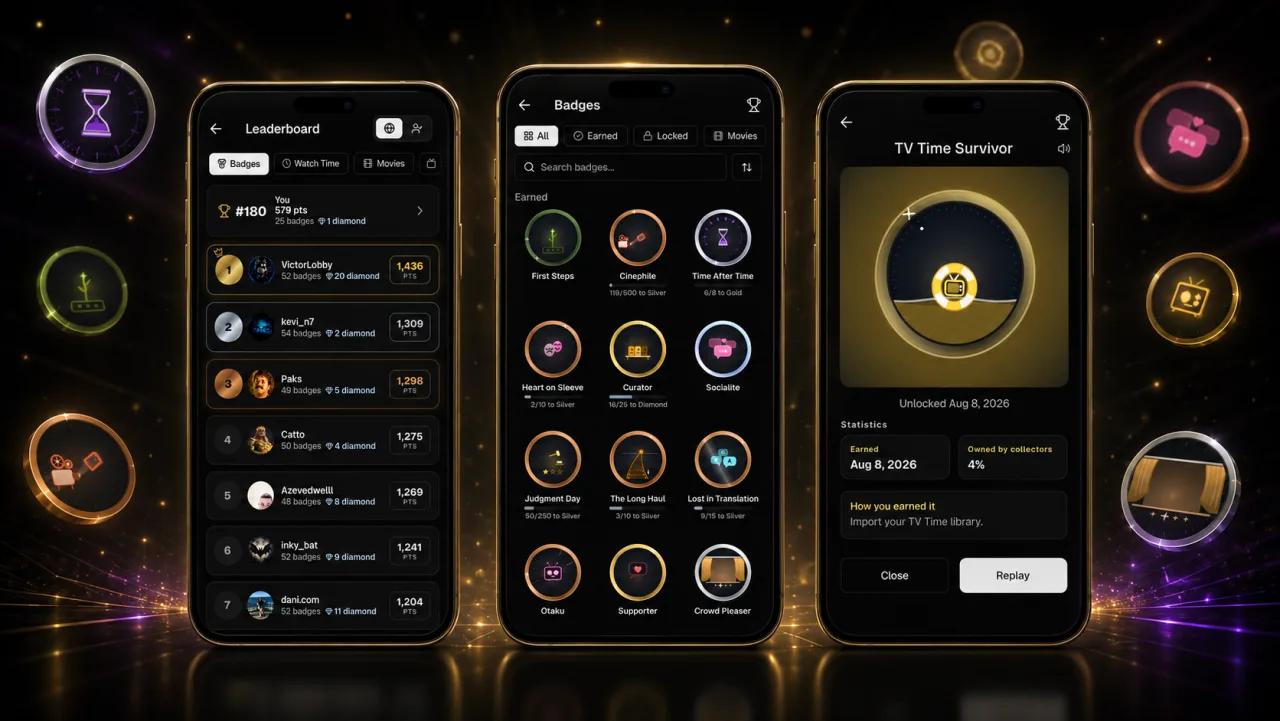
Badges: Sixty collectible badges for the things you already do, from watching and streaks to rating, commenting and building lists. Most run from bronze to diamond and upgrade the moment you cross a threshold, with a celebration and a sound of their own.
Badge Notifications: Awards arrive as push notifications, so you know within seconds even when the app is closed. Your history counts too, so your first visit to the gallery hands you everything you have already earned.
Showcase and Leaderboard: Pick your three favorite badges to feature on your profile, and see where your collection ranks on the badge leaderboard.
8 New Importers: Bring your library from Refract, Cinopsys, TodoMovies, Sofa Time, Moviebase, Eigabox and Medialib. Plus a full Movie Paradise round trip: export one account, import it into another, and choose exactly which parts to bring.
Tracking Polish: Upcoming on home can lay itself out as a poster carousel that costs one row of space, library reset handles huge libraries, Airs Today respects real airtimes, bulk actions run faster, and a pile of community reported fixes landed.
App 5.3.0
💬TV Time Comments, Skipped Episodes, Movie Reactions & Expanded Stats
The headline is a piece of history: the TV Time comment archive now lives inside Movie Paradise. Years of episode and movie comments appear right next to your Movie Paradise and Trakt discussions. Around it, 5.3.0 adds proper episode skipping, reactions for movies, statistics you can actually explore, actionable notifications, a full data export, and one of the longest fix lists we have ever shipped.
What's new16
TV Time Comments: The archived TV Time community comments, with avatars, images and GIFs, and a translate button, on both episodes and movies. Read only, clearly separated from live discussions.
Skipped Episodes: Skip an episode, a season, or whole ranges. Skips render as striped sections on every progress bar, including widgets, and next episodes, statuses and stats all respect them.
Movie Reactions: Pick the emotions that fit after any movie and see how the community felt, just like episodes.
Expanded Statistics: Tap nearly any stat to see the exact titles behind it, explore a zoomable world map of your watch countries, and follow your watching week by week across the whole year.
Actionable Notifications: New episode alerts show a thumbnail and offer Watch Now and Mark as Watched right on the notification, on Android and iOS.
Export Your Data: Download everything tied to your account as a zip with a complete JSON plus spreadsheet friendly CSV files, straight from Settings.
Smarter Taste Match: A rebuilt algorithm with an honest 0 to 100 score, a plain words explanation of what drives your match, an agreement dial, and the titles you both loved.
More Tracking Control: Mark as Finished for a whole series with the dates you choose, Stop Tracking, and scoped resets for watch progress or rewatches.
Select Multiple: Long press in your tracker or library to bulk remove, move or share titles, with a true Select All.
Friend Libraries: Browse a friend's library like a full tracker with all status tabs, see your own status on their titles, and bulk add their picks to your watchlist.
Widget Studio: A widget settings screen with live preview for text size, posters, transparency and colors, plus human friendly dates, finale pills and skip aware bars on every widget.
Favorite Episodes: Filter your tracker by shows with favorites and browse a show's favorites grouped by season.
Imports, Your Way: Choose exactly which categories each import brings in.
Better Threads: Replies group under their parent, nest visibly, and expand inline, so conversations finally read like conversations.
Badges Preview: Animated achievement badge designs shaped by the community thread, with three tier color styles up for a vote.
Fixes Everywhere: Hundreds of small fixes and stability improvements across the whole app.
App 5.2.0
✨Automatic TV Status, Episode Reactions, Taste Match & Threaded Replies
Your shows now manage themselves: start an episode and the show becomes Watching, catch up and it is Up to Date, finish an ended show and it is Finished, with Pause and Drop for breaks. Around that headline, 5.2.0 adds episode reactions with real character art, a redesigned profile with a taste match score for every profile you visit, Reddit-style reply threads, in-app announcements, and a long list of quality upgrades.
What's new17
Automatic TV Status: Statuses update themselves as you watch. No more managing Watching, Up to Date, or Finished by hand, and you can still Pause or Drop any show.
Episode Reactions: Pick the emotions that fit, choose a favorite character with actual character artwork, and see how the community felt after every episode.
Taste Match: Open any profile to see how well your tastes align, with a match score, shared favorites, and the titles you both loved.
Threaded Replies: Conversations now nest like Reddit. Reply to replies, follow deep threads, and get notified with full episode context.
Redesigned Profile: Fresh stat tiles with a swappable slot, Movie and TV favorites of up to ten titles each, counts on the tabs, and your top favorites on the profile share card.
Announcements & Community: App news lives in the app. Browse announcements, vote in polls, join discussions, and comment on any post.
Home, Your Way: Next Episodes home now keeps a Discover tab, so your feed is never more than one tap away.
Confetti: Finish a show and celebrate the moment.
Collections to Lists: Turn any movie collection into a list with one tap.
Smarter Provider Filters: A new Free option for ad-supported streaming, a Movies/TV toggle on company pages, and search and sorting in the provider picker.
Scoped Library Reset: Reset only your movies, TV shows, reviews, or lists while your import history stays safe.
Safer Media Server Tracking: Plex and Jellyfin connections confirm your account before tracking, so shared servers never mix up histories.
Widget Upgrades: A beautiful new Up Next look, every upcoming episode in the Upcoming widget, and more reliable updates on Android and iOS.
Lists Remember Your Sort: Every list keeps the sort you chose, and sharing a list now offers copy link or image.
Discord Linking: Link your Discord account in Settings to receive your Premium and community roles automatically.
Performance: Profiles and sharing open noticeably faster.
Lots of bug fixes and stability improvements across the app.
Movie Paradise lands on your home screen: Up Next and Upcoming widgets keep your shows in sight on both Android and iOS, and a new Customize Home toggle can turn the Home tab into a full episode hub. Beyond that, 5.1.0 brings custom backdrops, private accounts with follow requests, public friend libraries, three new themes with an AMOLED option, searchable Settings, smarter reminders, and imports that are now free for everyone.
What's new15
Home Screen Widgets: Up Next and Upcoming widgets for your phone home screen, on both Android and iOS. See what to watch next and upcoming premieres without even opening the app.
Next Episodes on Home: A new Customize Home toggle turns your Home tab into a full episode hub, grouping what is ready to watch now and what airs soon.
Custom Backdrops: Pick the exact backdrop image you want for any movie or show, just like custom posters.
Private Accounts: Make your account private and approve who follows you with follow requests, right from your notifications.
Browse Friend Libraries: Open a friend's profile to browse their full library if they have made it public. Control yours with the new public library toggle.
Three New Themes: Midnight, Mocha, and Sepia join the lineup, free for everyone, plus a true black AMOLED option for dark mode.
Searchable Settings: Settings are now organized into collapsible sections with instant search, so any option is seconds away.
Review Filters & Sorting: Reviews now have a proper filter and sort bar with removable chips, so you can find exactly the takes you want.
Share Posts as Cards: Turn any review or post into a beautiful shareable image card.
Cover Art Picker: Give your profile a fresh cover by picking from suggested stills and backdrops pulled from your favorite titles.
Imports Free for Everyone: All library imports are now available to every user. There is also a new step-by-step TV Time export guide and an option to import only your comments and lists.
Smarter Reminders: Choose how far in advance episode reminders arrive, filter them by network, and alerts now land at the actual air time.
Swipe Between Tabs: Tracker and Next Episodes tabs now swipe natively, and toasts can be dismissed with a tap or a flick.
Join Our Discord: The Movie Paradise community now lives on Discord. Find the invite under Connect With Us in Settings.
Lots of bug fixes and stability improvements.
App 5.0.0
🤝Social, Reviews & a Brand-New Profile
Version 5.0.0 is our most social update yet. The AI tab becomes Social, the place to decide what to watch with the people you love, whether that's comparing watchlists, letting Pick for Me choose, or swiping to match in a live room. You can now follow other users and see their activity, write full reviews, and show off a completely rebuilt profile with themes. On top of all that: custom posters and tags, ratings you can reorder and hide, tracker progress on every card, custom ordering everywhere, nine new languages, and much more.
What's new26
The Social Tab: The old AI tab is now Social, your home for deciding what to watch with someone else. See a live feed of what your friends and the wider community are watching and rating, compare watchlists to find common ground, get a solo or group Pick for Me, or start a swipe-to-match room and match on something to watch in real time.
Follow People: Follow other users to keep up with everything they watch and rate, and browse a global activity feed of what everyone on Movie Paradise is up to.
Write Reviews: Share your full thoughts on any movie or show with written reviews, right from the detail screen. Attach a photo or a GIF to make your point.
Translate Reviews: Reviews and comments written in another language can be translated with one tap. Pick your preferred translation language in Settings.
A Brand-New Profile: Your profile has been completely rebuilt into a single scrolling showcase of your taste. Give it personality with profile themes (including seasonal, zodiac, and vibe looks) and cover styles, and change your username whenever you like.
Request Features In-App: Suggest new features and vote on what you want to see next from a status board inside the app. Discuss requests in the comments, and get notified when someone replies to yours.
Ratings, Your Way: Reorder rating sources on detail screens, hide ratings entirely, or keep them hidden until you have watched a movie, show, season, or episode, now with 0.1-point precision.
Your Ratings on the Chart: Your own ratings now appear on the episode rating chart on top of community scores, and season ratings can show your score over the community average.
Share Your Ratings: Turn any rating into a shareable image card, and share full episode rating grids as images too.
Progress Everywhere: Tracker and list cards, in both horizontal and grid layouts, now show your episode progress at a glance.
Next Episodes, Upgraded: Split your Next Episodes into tabs like Up Next, Caught Up, and Not Started. A configurable one-tap eye icon marks the next episode watched instantly, with an undo right in the toast.
Custom Ordering: Manually reorder items in your tracker, your lists, and from Settings, then sort by your own custom order. You can also pin statuses to the top of the tracker for quick navigation.
Custom Posters: Pick the exact poster you want to use for any movie or show.
Media Tags: Add your own custom tags to any title and filter your tracker by them.
Powerful List Filters: The full set of tracker filters now works inside your lists too, complete with saved presets. You can also add titles to a list right from its screen.
Cleaner Grids & Smarter Sorting: Hide titles under posters on grid views for a cleaner look, let each tracker tab remember its own grid or list view, and choose whether sorting ignores leading words like "The" and "A".
Customize Detail Screens: Choose which sections appear on movie and TV detail screens.
Deep Linking: Open TMDB, IMDb, Metacritic, Trakt, and Rotten Tomatoes links straight into Movie Paradise.
Stremio Scrobbling: Opt in and anything you play in Stremio with our addon installed is marked as watched here automatically.
Richer AI Chat: AI Chat now shows recommended titles as posters, so you can see what it suggests at a glance.
Rewatches in Next Episodes: Rewatches now show up in your Next Episodes so you never lose your place on a rewatch.
Manage Notifications: Swipe to delete old notifications, or clear them all at once.
Reset Your Library: A new danger-zone option lets you wipe your entire library and start completely fresh.
Nine New Languages: Movie Paradise now speaks German, Spanish, French, Indonesian, Italian, Japanese, Portuguese, Russian, and Turkish.
Renewed Settings: The Settings screen has been redesigned and reorganized to make everything easier to find.
Bug fix: Clearing the cache no longer logs you out, plus various other fixes and stability improvements.
App 4.1.0
🎵Wrapped Music, More Share Cards & New Imports
Wrapped gets a soundtrack, three new share card types join the rating poster, every share card lets you pick your own backdrop, episode ratings get colorized tiers, and imports now cover Trakt, Showly, and any source via custom JSON/CSV.
What's new8
Wrapped Background Music: Your monthly wrap now plays a soft loop while it unfolds. Pick from Cinematic, Lofi, Synthwave, Upbeat Indie, or Ambient in Wrapped settings, preview each track before committing, or mute mid-story with a tap on the speaker icon.
More Share Card Types: Three new shareable cards alongside the rating poster: Cast (top-billed actors with photos), Watch (where to stream / rent / buy in your region), and Details (runtime, year, budget, director, studios). Instagram Post or Story dimensions.
Pick Your Own Backdrop: Every share card now lets you switch between any backdrop image TMDB has for the title, sorted with the community favorite first.
Colorized Episode Ratings: Your episode ratings now pick up a tier color so great runs pop at a glance: blue for 9.5+, green for 7+, amber otherwise. Shows up on the season episodes list and the episode detail screen. Toggle it off anytime in Settings, Ratings.
Trakt Import: Bring your full Trakt library across. Export the ZIP from trakt.tv (Settings, Data, Export) and upload it: watched history, ratings, watchlist, favorites, and your custom lists all come over.
Showly Import: Bring your library from the Showly Android app. Upload your JSON export to import shows, movies, per-episode progress, ratings, and lists.
Custom JSON/CSV Import: Import from any source not on the list. Drop in a JSON or CSV file following the documented format, and we auto-detect the type and bring in watches, ratings, and watchlist entries by IMDb, TMDB, Trakt, or TVDB id.
Bug fixes and stability improvements.
App 4.0.1
🎴Lists Grid View & Episode Ratings Shortcut
A small but handy update: browse your Lists screen as a grid, jump straight to season and episode ratings from a show's ratings section, and enjoy faster loading and smoother animations across the app.
What's new3
Grid View for Lists: Browse your Lists screen as a grid in addition to the existing horizontal layout. Your view choice is remembered between sessions.
Season & Episode Ratings Button: A new shortcut in a show's ratings section jumps straight into the season and episode ratings breakdown.
Performance Improvements: Faster loading and smoother animations across the app.
App 4.0.0
🔗Monthly Wrapped, Media Servers & Imports
Version 4.0.0 is a big one. A beautifully animated Monthly Wrapped recap of your watching month, Jellyfin and Plex auto-tracking so finishing a title marks it watched, your lists as browsable catalogs in Stremio and Nuvio, imports from Simkl, SeriesGuide, and TV Time, a new Your Schedule rail on Home, a watching heatmap, and much more.
What's new16
Monthly Wrapped: A beautifully animated recap of your watching month with stats, top picks, and your hidden gem. Share it as a polished image card. Premium unlocks AI commentary with four voices to pick from: Sarcastic, Serious, Warm, or Hype. Drops on the first of every month.
Share your Wrapped: Export a polished share card of your month (top movies, shows, stats) as a single image, ready for stories or feed.
Jellyfin auto-tracking: Connect your Jellyfin server and movies and episodes are automatically marked as watched when you finish them.
Plex auto-tracking: Same as Jellyfin, connect your Plex server and your watches are tracked automatically.
Stremio & Nuvio integration: Your lists now appear as browsable catalogs inside Stremio and Nuvio. Install the addon with one tap and browse your collections with posters and metadata.
Simkl import: Bring your movies, TV shows, ratings, and watch progress from Simkl with a single JSON upload.
SeriesGuide import: Upload your SeriesGuide export as a ZIP or individual JSON files for shows, movies, and lists.
TV Time import: Export your library with a supported Chrome extension (TV Time Liberator or TV Time Out) and import your full shows and movies history.
Watching heatmap: Visualize your watching activity throughout the year with an interactive heatmap. Filter by movies or TV, drag across cells to explore, and see insights like your most active day and longest streak.
Your Schedule on Home: A new Home rail called Your Schedule surfaces upcoming premieres and movie releases from your tracker. Filter by movies or TV, with countdowns on each card, and jump straight to details on tap.
Customize Home: Reorder, show, or hide sections on the Home screen to match how you use the app. Find it in Settings.
Per-provider notifications: Choose exactly which streaming services trigger your watch alerts. Filter separately for movies and TV.
Stats drill-down: Tap any stat item (actor, genre, country, etc.) to see exactly which movies or shows you watched that contributed to that stat. Supports both grid and list views.
Share as Image: Premium users can now share any movie or show as a beautifully designed card with the poster, full ratings (IMDb, Rotten Tomatoes, Metacritic, Letterboxd, Trakt, TMDB, and the Movie Paradise community average), genres, and runtime, in Instagram Post, Story, Square, or Twitter formats.
Redesigned notification history screen.
Bug fixes and performance improvements.
App 3.0.0
🔍Advanced Discovery, Smart Lists & AI Chat
Version 3.0.0 is the biggest update yet. Advanced Discovery lets you combine ratings from every major platform, streaming availability, genres, cast, and more to surface exactly the content you want. Smart Lists keep your collections fresh automatically, AI Chat gives you a movie companion right in the app, and a wave of quality-of-life improvements makes the whole experience feel new.
What's new18
Advanced Discovery: Find exactly what you want by filtering across IMDb, TMDB, Rotten Tomatoes, Metacritic, Letterboxd, Trakt, MAL, and more. Layer on streaming providers, genres, cast, keywords, content ratings, parental guides, and much more.
Smart Lists: Create dynamic lists powered by your Advanced Discovery filters. They auto-update as new titles match your criteria, so your lists always stay current.
AI Chat: Ask anything about a movie or TV show and get personalized recommendations. Start a chat from any movie or TV detail screen, or from the dedicated AI tab. Chat history is saved and organized by title.
Poster Rating Badges: See ratings from your preferred platform right on poster cards. Choose from 5 badge styles in Settings.
Parental Guides: View content advisories (violence, nudity, language, substance use) at the bottom of any movie or TV detail screen.
Watch Provider Notifications: Get notified the moment a title you are tracking becomes available on a new streaming platform.
Long Press Quick Actions: Long-press any title to instantly change its status without opening the detail screen.
Letterboxd and IMDb Import: Bring your existing library into Movie Paradise by importing directly from Letterboxd or IMDb.
User Notes Hub: See all your notes in your Profile's Notes tab. For TV shows, season and episode notes are all gathered in one place in detail screens.
Next Episodes got a compact view mode to fit more shows on screen, and you can now long-press any show to pin it to the top or change its status.
Stats Screen Redesigned: The stats screen has been fully redesigned and looks better than ever. You can now also share your stats directly from the app.
Tracker Filter Overhaul: Completely redesigned with tabbed navigation across General, Ratings, Content, People, Streaming, and Dates. Save your favorite combinations as filter presets.
Lists screen now supports filtering by smart or static lists. List items have more filtering and sorting options, and you can view smart list configuration at a glance.
Free users can now track unlimited titles and have unlimited items in their lists.
All filter and sort screens have been redesigned with a clean, consistent look throughout the app.
Network Search: You can now search for networks and browse their TV shows directly.
You can now see your Trakt usage limits in Settings, including tracked items, lists, and list item limits.
Various visual refinements across screens.
App 2.0.1
🐛Bug Fixes
Fixed issues with watch dates, ratings, and next episodes not updating properly.
App 2.0.0
🎉Calendar, Watch Alerts & Smarter Lists
Version 2.0.0 is a big quality-of-life update: Calendar brings upcoming movies and episodes into one place, Watch Alerts help you never miss what you're watching, Lists are smarter (and reorderable), and the whole UI got a fresh pass.
What's new14
New Calendar view: See upcoming movies and episodes in one place.
Watch Alerts are here: Get notified about upcoming movies and new episodes for the shows you follow (fully customizable).
Home is smarter: Shows you're currently watching now surface the next episode right on the Home screen.
Ratings are easier to browse with a new "See All" button that reveals every rating source.
Better customization: Choose your preferred date format, and pick which screen opens on app launch.
Watch status indicators: Optionally show status badges (Watching / Watched / To Watch / Dropped) on Home and Tracker.
Lists got a big upgrade: Sort, manually reorder, and see the first 3 item covers right on each list.
Trakt per-list control: Enable/disable sync per list, see which lists are synced, and choose whether new lists should sync to Trakt.
Episode progress improvements: "Watch up to here" lets you mark multiple episodes as watched in one go.
Performance fix: The episode rating grid is now smooth even for shows with large episode counts.
Smarter sorting: Leading articles like "The", "A", and "An" are ignored when alphabetizing.
New search: You can now search for companies and explore their movies and TV shows.
Season ratings now include average IMDb rating and total votes.
Many bug fixes and improvements.
App 1.3.0
📊Manual Sync & Episode Insights
This update brings manual Trakt sync, new episode rating visualizations, and improved activity details so you can better understand your watch history at a glance.
What's new5
Trigger a manual Trakt sync whenever you want, perfect for when you've just updated something on Trakt and want the app to refresh immediately.
New episode rating graphs show a ratings trend across seasons so you can quickly understand how a show performs over time.
A season/episode ratings grid lets you compare episodes at a glance and spot highs and lows instantly.
Activity view now shows episode-level details with clearer organization by show and season, making it easier to review what you watched and rated.
Bug fixes, performance improvements, and general polish for a smoother experience.
App 1.2.0
🎬Rewatches & Season Tools
Rewatches are here, along with better season controls, so you can keep every binge properly logged.
What's new5
Log rewatches with new watch entries for both movies and individual episodes.
Pick both date and time when adding a watch entry, so late-night binges and cinema visits are logged accurately.
Mark multiple seasons as watched in one go to keep your series progress tidy.
Mind the gaps: Season lists now highlight gaps between episodes so missing watches are easy to spot.
Many bug fixes and polish across the app.
App 1.1.0
🚀Trakt Sync & Privacy
This update adds Trakt sync, app notifications, and new privacy controls so you stay in charge of what others can see.
What's new4
Two-way Trakt sync keeps your watch activity and ratings aligned between Movie Paradise and Trakt.
Get notified about important updates, new features, and tips when you enable notifications.
New privacy options let you hide your stats and activity from other users whenever you prefer to stay low-key.
A fresh round of bug fixes and small improvements to keep everything running smoothly.
App 1.0.2
🐛Bug Fixes & Stability
Various bug fixes and stability improvements.
App 1.0.1
⚡Performance Improvements
Bug fixes and performance improvements.
App 1.0.0
🎉Initial Release
Welcome to Movie Paradise! We're excited to bring you the first official release of our movie discovery app.
This is just the beginning. Stay tuned for exciting updates and new features!
Core Features6
Browse thousands of movies with beautiful posters and details
Search for your favorite movies and TV shows
Create and manage your watchlist
View detailed information including cast, ratings, and reviews